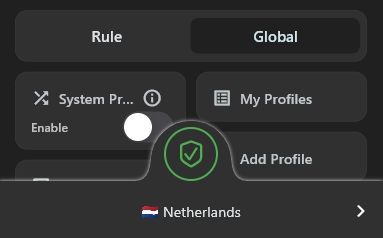
Karing setup guide
Download and install the Karing app:
Step 1: Download the app
Alternative link
If the button above doesn't work, download from GitHub Releases
Copy your subscription link
In your account
- Open your account in the bot or on the website
- Find the "Subscription" section
- Copy your link
Run Karing as administrator
Important
Karing requires administrator privileges for TUN mode to work
1
Find the Karing shortcut on your desktop or in the Start menu
2
Right-click the Karing shortcut
3
Select "Run as administrator"
Templates can be configured later — click "Next"
Adding a profile
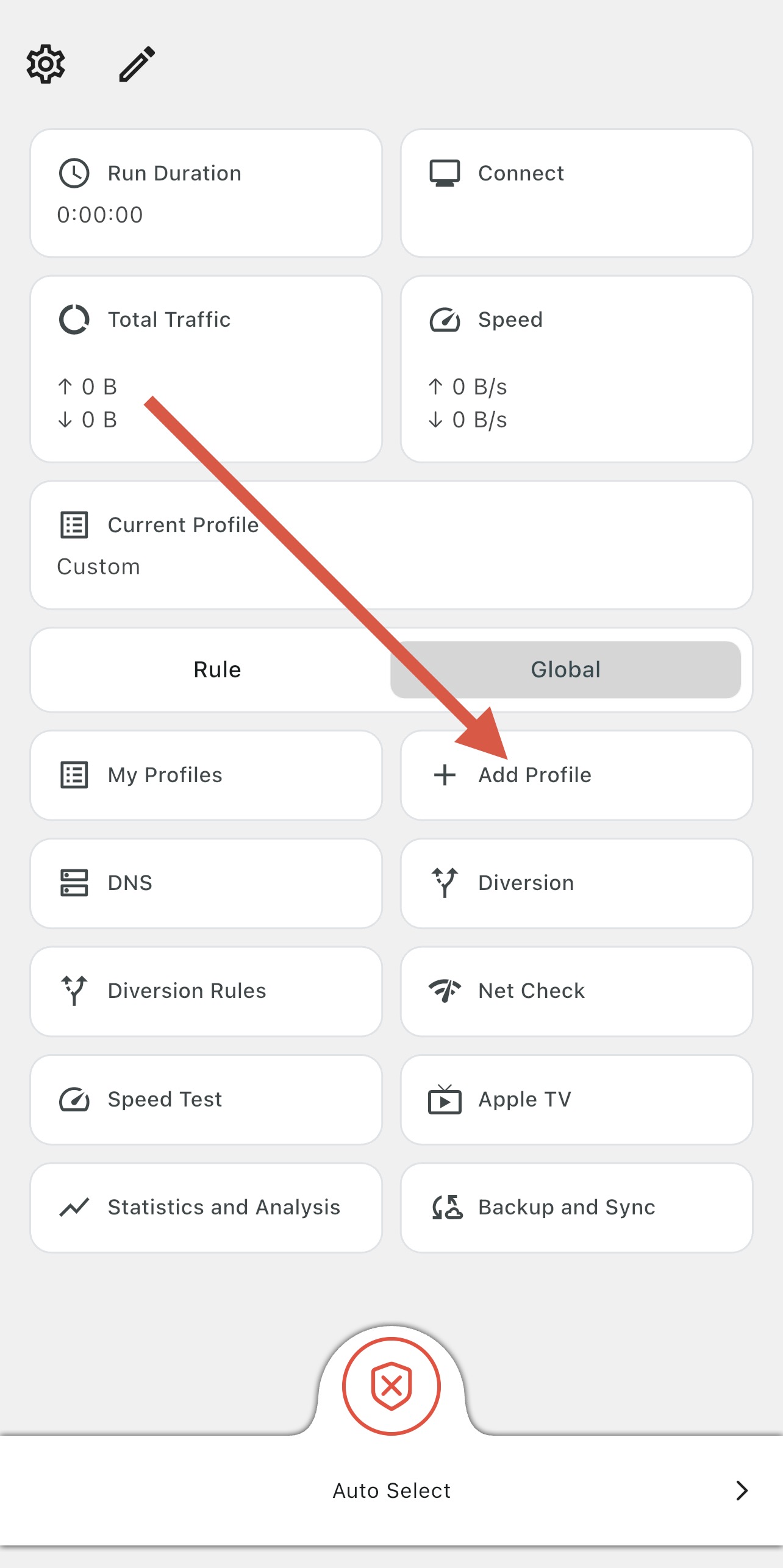
1
Click "Add profile"
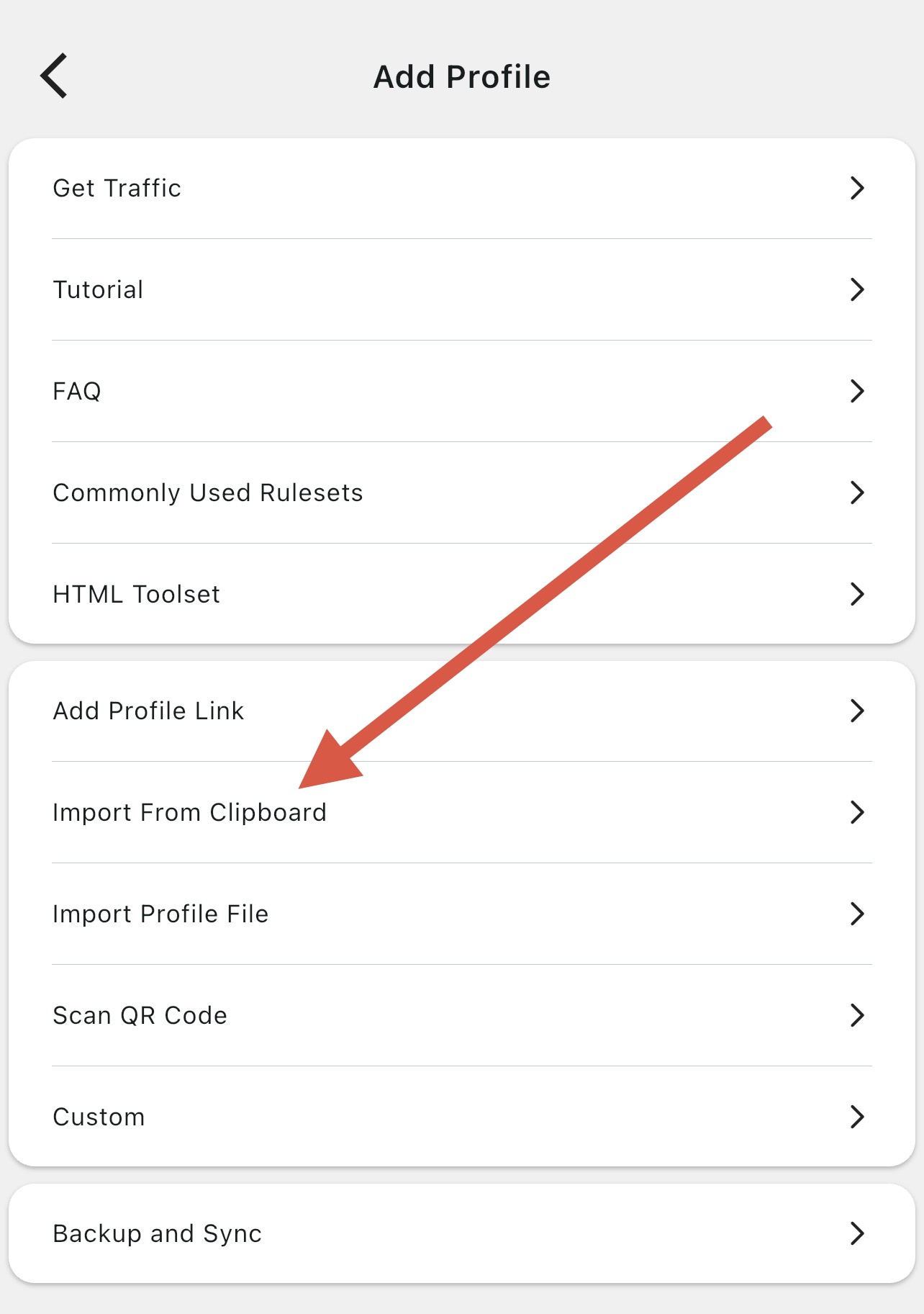
2
Select "Import from clipboard"
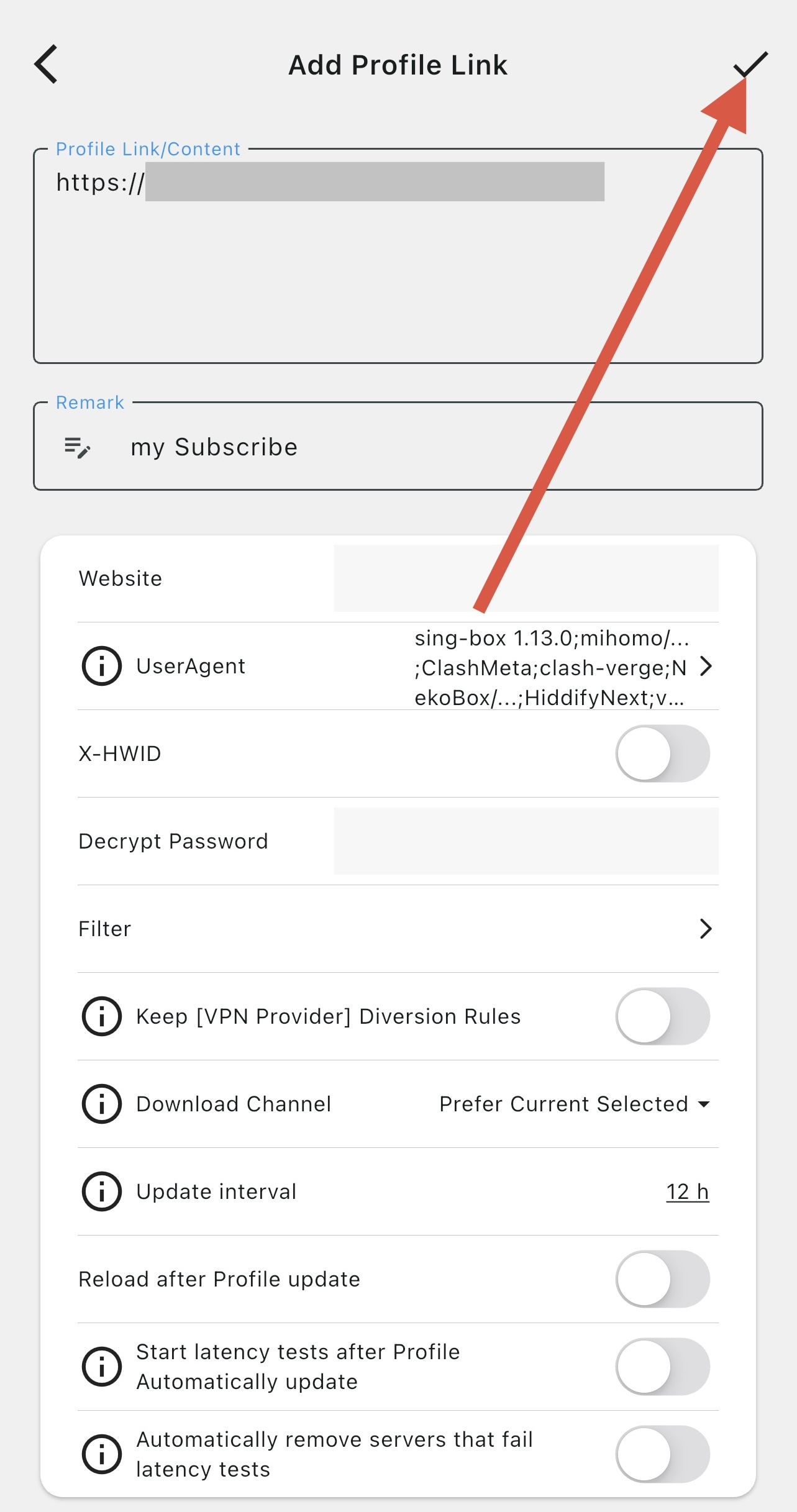
3
Confirm adding the profile
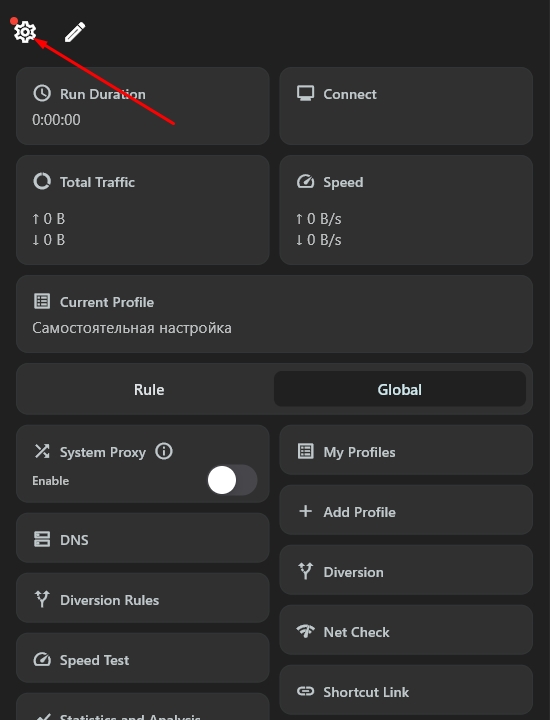
Next, you need to enable TUN mode in the app
To enable it, go to settings
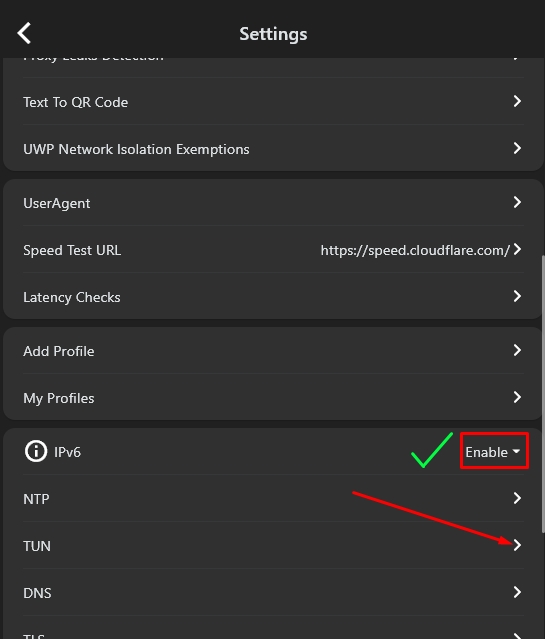
Then go to the TUN section and enable it
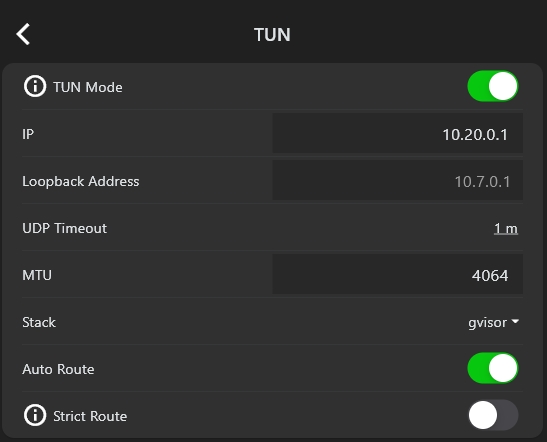
Done! Now you can start the connection in Karing.